Thursday, February 03, 2011

We are writing this letter on behalf of x-y-z Inc


Dear x y z Administrator:

We are writing this letter on behalf of x y z Inc., ("x y zPictures") who owns certain rights under copyright law in the title x y z.

You are receiving this notice because your Internet account was identified as having been used recently to copy and/or distribute illegally the copyrighted motion pictures and/or television shows listed at the bottom of this notice. This notice provides you with the information you need in order to take immediate action that can prevent serious legal and other consequences. These actions include:

1. Stop downloading or uploading without authorization any motion pictures or TV shows owned or distributed by x y z ; and

2. Permanently delete from your computer(s) all unauthorized copies you may have already made of these movies and TV shows.

If this notice is being received by an Internet Service Provider (ISP), please forward the notice to the individual associated with the activities.

The unauthorized distribution or public performance of copyrighted works constitutes copyright infringement under the Copyright Act, Title 17 U.S Code Section 106(3)-(4). This conduct may also violate the Berne Convention for the Protection of Literary and Artistic Works and The Universal Copyright Convention, as well as bilateral treaties with other countries that allow for protection of x y z copyrighted works even beyond U.S borders.

Copyright infringement also violates your ISP’s terms of service and could lead to limitation or suspension of your Internet service.  You should take immediate action to prevent your Internet account from being used for illegal activities.

An MPAA website, www.respectcopyrights.org, offers step-by-step instructions to ensure that your Internet account is not being used to violate the copyright laws.  Also, the site can point you to an array of legal choices for enjoying movies and TV shows online. You can also learn there how theft of motion pictures and TV shows damages our economy and costs thousands of Americans their jobs.

Please contact us at the above listed address or by replying to this email should you have any questions.

We are providing this notice based on our good faith belief that the use of motion pictures and television programs owned by x y z Industries Inc. in the manner complained of is not authorized by the copyright owners, their agents, or the law.  The information in this notification is accurate. Under penalty of perjury, we are authorized to act on behalf of the owners of the exclusive rights that are being infringed.  This letter is without prejudice to the rights and remedies of Columbia Pictures, all of which are expressly reserved.

We appreciate your assistance and thank you for your cooperation in this matter.  In your future correspondence with us, please refer to Case ID x y z.

Your prompt response is requested.

Respectfully,

D. Brewer
Enforcement Coordinator
Peer Media Technologies, Inc.
copyrightqs@mediasentry.com

------------------------------

INFRINGEMENT DETAIL
--------------------

Infringing Work: x y z
First Found: 31 Jan 2011 03:08:14 EST (GMT -0500)
Last Found: 31 Jan 2011 03:08:14 EST (GMT -0500)
IP Address: x y z
IP Port: 51413
Protocol: BitTorrent
Torrent InfoHash: x y z
Containing file(s):
x y z .[x y z.com].torrent (x y z bytes)

Monday, December 06, 2010

Don't run with five Active Directories, it helps no one


The group of companies have had some level of manual Active Directory integration for the last three years but with the appointment of … this program has been accelerated to better make use of the environment. Currently user population suffer from a series of issues which hinder business and irritate users:

1. Duplicated logons across several systems (Network, business applications)

2. No common and automatic contact list/GAL across the group of companies

3. No simple way to share files on file servers

4. A lack of a central and organisation based … services

5. No free-busy calendar outside of each specific organisation.

These issues make work harder and less efficient then it can be with double handling by user support and data management teams. To address these issues the general plan for organisation consolidation seeks to target the following:

1. A single and consistent contact list/GAL across all organisations

2. Simple and common shared folders and files

3. A single Intranet across the group of organisations with the ability to host general and specific business information

4. Common email platform across all users while maintaining the organisational persona for external email

5. Free-busy across all users

6. Movement to a common Office365/BPOS messaging system.

Over and above these the users are able to share a common internal environment with a common logon experience and desktop look and feel.

Wednesday, October 20, 2010

Where is the middle ground?


An average of about 3Kb, but a peak of 7.6Mb...

clip_image002

clip_image004

Tuesday, October 19, 2010

VDI is so simple


I don't know why everyone doesn't do it. At least we have a grip on it…

VDI Exploded

Agenda to review VDI rollout


Understanding the design goals for VDI (Customer)

Understanding the Datacentre/storage/ESX and servers (Customer)


Keys to VDI (Vendor)

The current physical desktop

Optimising the desktop for VDI

Application deployment (XenDesktop, Xenapp, Streams and in-gold-image)

Printing, logon scripts and other scripts

Home folders, USB, drive redirection

Profile Manager

Persistent verses non-persistent desktops


VMware details

DR, HA, DRS, VMotion

Clusters locations, and replication

Building out production

Keep and upgrade or Rip and replace pilot

Wednesday, September 29, 2010

VDI went live


Well, it has been two months work (one month for two TC's and a PM) but we went live with VDI for the first 150 users, 4500 to go.

The solution is based on 6 x (2 x 6 CPU AMD), VMware servers in a cluster with HR/DRS and it is smoking fast. There are two more servers acting as provisioning and file services with the same specifications. We are planning on about 10 users per-core and need storage to suite.

The OS is Windows 7 32-bit, Adobe CS5, Office 2007, Java, Flash, Shockwave, Silverlight. It has 30GB C-Drive and a 10GB D-Drive. Each VDI session gets 3GB of RAM and a .5GB swap file. To use it is just like the first logon to a new W7 computer and usage and screen is great, again just like hardware.

Application are native, streamed in if they start in about or less then 1 minute to start and Traditional Citrix servers for problematic apps.

There were lots of little problems to address, such as: VMxnet drivers, SOE look and feel, Printers, bad apps, slow apps, java apps, dealing with image revisions, Windows 7 firewall, networking, building it twice on two hardware platforms just to name a few.

But it looks great in production.

Monday, May 03, 2010

Transfer your Ubuntu application packages to a clean install

Transfer your packages to a clean install
5/01/2010 by Tyler James

With all the new installs of Ubuntu and clean upgrades going on right now, I thought I'd point out a few great ways to package up the apps you have currently and prepare them for a clean Ubuntu install. This can be useful if you're installing the same applications on a number of computers, or simply know exactly all of the programs you need and want to preserve this for a clean install. There's two great ways to do this, one which works well on computers with an internet connection, and one which works great when you don't have a connection.

Method #1
The first method works off of a little command line utility called Dpkg-Repack, which can be used to repackage any apps installed from apt into a deb, which can then be installed cleanly anywhere. With a little terminal-fu, this can be used to package up everything you've installed from the Software Center or apt into a giant deb.

We do this with three simple commands:

* sudo apt-get install dpkg-repack fakeroot
* mkdir ~/dpkg-repack; cd ~/dpkg-repack
* fakeroot -u dpkg-repack `dpkg --get-selections | grep install | cut -f1`


This installs the program along with fakeroot, which is used to allow selecting without conflicts of permissions. Then the second command creates a directory to store the deb in, and then lastly the third command which will take some time to complete will package up the installed applications into the big huge deb. Theres now a directory in the home folder with the deb.

Now, to reinstall this whole set of applications, we move the whole thing over to a usb drive and copy it over to the new computer or new install, and run:

sudo dpkg -i *.deb
This will install everything packaged up, even without an internet connection!

Method #2
The second way of doing this doesn't create a large package, but rather a small list of apps that can be used to direct your computer to what to reinstall. This requires no installation of anything to actually run the command, but does require an internet connection. Now, this creates a list of everything, even standard system stuff, so don't get freaked out if theres stuff you've never seen on it before. Any overlap with standard stuff works itself out, it won't reinstall or duplicate things. The really nice thing about this method is that you can manually add or subtract stuff from the list.

To do this, run this command:

* sudo dpkg --get-selections > installedsoftware

Then, all you have to do is copy that folder over to the home folder of the next computer and/or after the clean install, and then run:

* sudo dpkg --set-selections < installedsoftware

Remember, this second method requires an internet connection.


From: http://www.omgubuntu.co.uk/2010/05/with-all-new-installing-of-ubuntu-and.html?utm_source=feedburner&utm_medium=feed&utm_campaign=Feed%3A+d0od+%28Omg!+Ubuntu!%29&utm_content=Google+Reader

Tuesday, March 16, 2010

The Quest software quality

Let me just explain, this is the quality of Quest migration software. No sledging as I have only used Migration Manager for NDS, AD and Exchange. There other products may be awesome?.

Monday, November 09, 2009

ActiveSync Support Code: 0x85010004


I have a Motorola Q and I am testing Exchange Activesync. It worked once, got a factory reset and never worked again.

The error is:

Your account in Microsoft Exchange Server does not have permission to synchronize with your current settings.  Contact your Exchange Server administrator.
Support Code: 0x85010004

After much searching and help from Tim, it looks like the device existed and was synced, then after the reset the name or some other details changed, which caused the error. Go to OWA and remove the device, (optionally then delete the Outlook profile from the hand held then reset it up.)

BAM it works.


Tuesday, October 27, 2009

Office 2007 on Windows 7

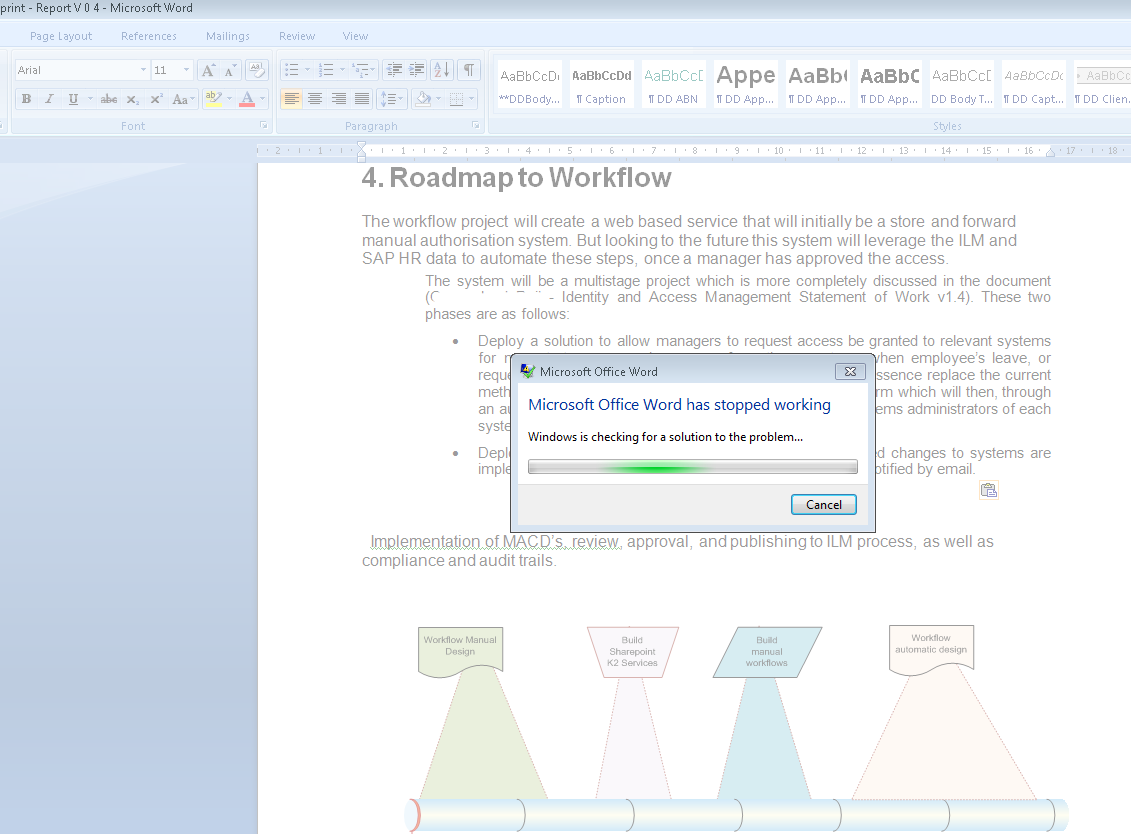
No mater how many things change, things stay the same... Fail office..


Monday, October 19, 2009

Facebook language fail

I dont want to change to one of the other 0 languages, I am happy the way I am.


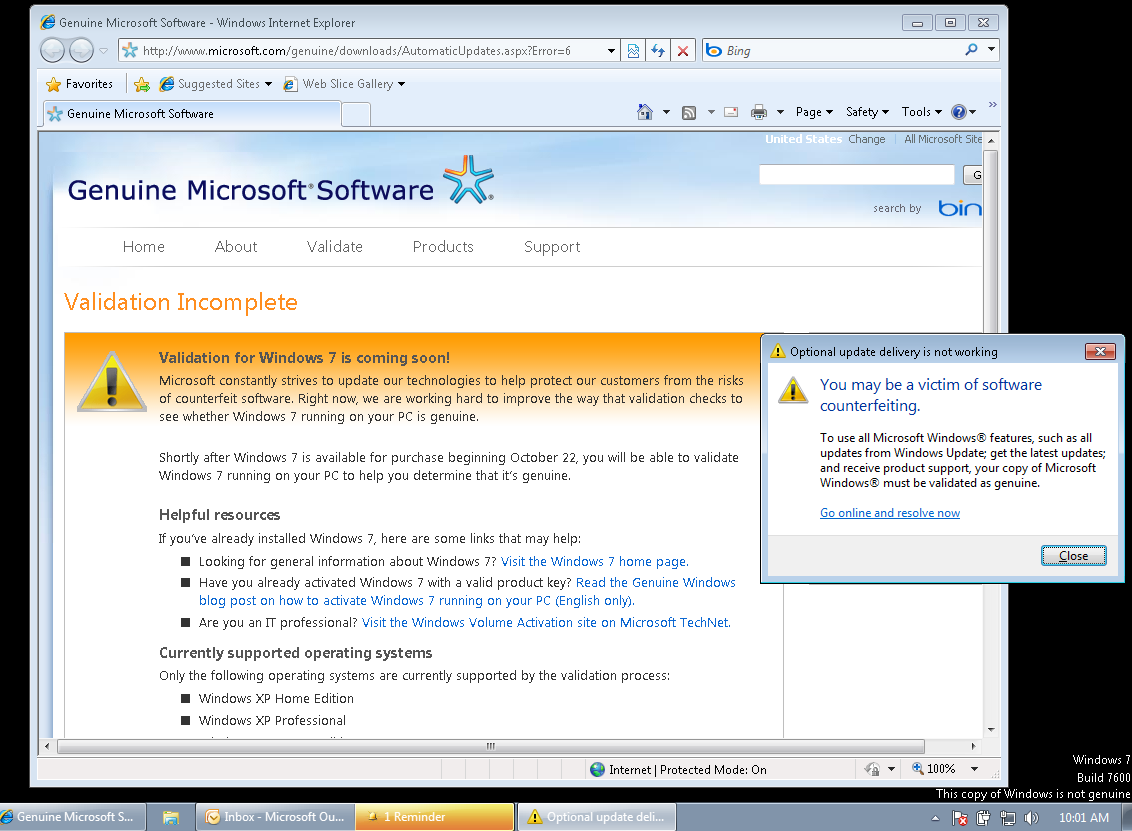
Yoy may be a victim of software counterfeiting

Well it has started well, this is my Vista 7 desktop...  I cant wait for Windows Validation to kick in.


Sunday, October 18, 2009

PS3 Garbled audio

I had the problem that 1 in 20 AVI files that I have *ripped* from my DVD have garbled audio. I found the solution to re-encode them, using AVI re-comp.

This is where I found how.

AVI ReComp

AVI ReComp is good for one thing, and that is to convert AVI to AVI and a format that is useable for the PS3 and other stand alone DIVX/XVID players…. HIGHLY RECOMMENDED for this use!!!!


  1. Open ARC, and open your "Source File". You will notice that it also tells you what codec is used and if they are installed on your computer. Also the bitrates, resolutions, frames, frames per sec, etc.
  2. Select your "Output file" and destination. Also select the "New AVI size". If the source file is for example 700mb, then you should use 800mb. Rule of thumb here is that your destination file should be slightly larger than the source file. Increasing it by a great number will not make the video look better, and will be over kill. Just try to keep it one larger than the original. It will insure that the new file will keep it’s quality….
  3. Now click on the “Additions” tab. Here you can change the resolution and audio. You need not change the resolution or resize it. Just leave this alone. Click the "Audio" tab and choose “convert audio streams”. Select CBR and use 128kb/s or higher... Be sure to click “Use”….
  4. In the Settings tab, I like to checkmark “delete temporary files”, so that you don’t clutter up your HDD…. These setting go back to default after each job, so you will need to do this every time, if you wish to…
  5. And finally the Queue tab. Pretty much just what it says. You can queue many files back to back and let them run over night, or just this one. Then click start
This may take an hour, two, or even three, so just leave it for a while and come back later. Check to see if it works on the PS3.

Thursday, September 24, 2009

Thursday, September 10, 2009

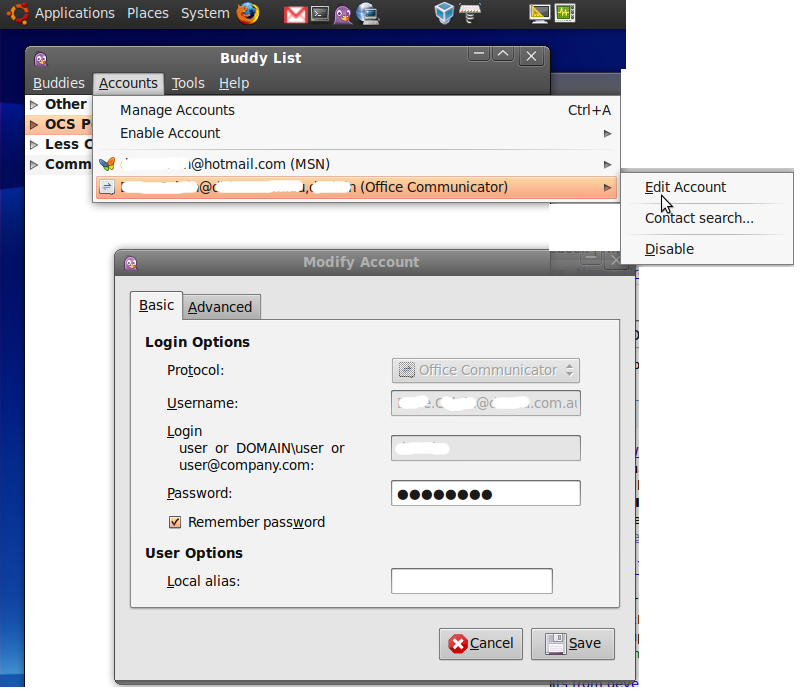
PIDGIN/Ubuntu - MSN/AOL and Microsoft OCS all in one

Well, while not as easy as it could be:

Install pidgin Internet messaging from "add remove applications"

Then get the pre-reqs for OCS:

sudo apt-get install autotools-dev libtool intltool comerr-dev libpurple-bin libpurple-dev pidgin-dev

Download pidgin plugin for OCS (if you have the older version there is no option for "Office Communicator is says LCS/OCS")

http://sourceforge.net/projects/sipe/files/sipe/pidgin-sipe-1.6.3/pidgin-sipe-1.6.3.tar.gz/download

unarchive it, then:

./configure –prefix=/usr/
make
sudo make install


Then to make it work, add a new account:
protocol: Office Communicator
username: email address
login: just the login name
password: secret password
Local alias: optional
ADVANCED: optional
(Connection type: auto, User agent is Purple/1.6.3)


Wednesday, September 09, 2009

Quest NDS migrator error - 1281-41-14-00000000

The following error may be received when entering credentials on the Groupwise System Information screen (Directory Exporter):

ERROR: Unable to login to GroupWise as user 'username'. Please check your user ID. [1281-41-14-00000000]

Cause

Incorrect credentials or the account specified does not have a GroupWise password (Novell and GroupWise objects can have separate passwords).


Here is where you fix it.


And now it works fine !


Carry one Quest-ing.


Tuesday, September 08, 2009

Hyper-V VM's on you laptop?

It would be great to run Hyper-V VMs on my laptop, like the new FIM2010 VMDK from Microsoft.
I could run Windows Server 2008 on my laptop and run in Hyper-V natively but a pain in the arse (re-partition and then dual booting). So I have started using VirtualBox (http://www.virtualbox.org) which is free for personal use - runs on Windows XP/Vista/Linux/Mac. It supports both 64-bit and APIC mode.

Once installed VirtualBox can setup and, import the disk and booted the VM.

After boot, installed Guest Additions (just like Enlightment or VMWare tools. You may also get prompted to reactivate Windows.

Enjoy the convenience and simplisity or free.

Blog Archive